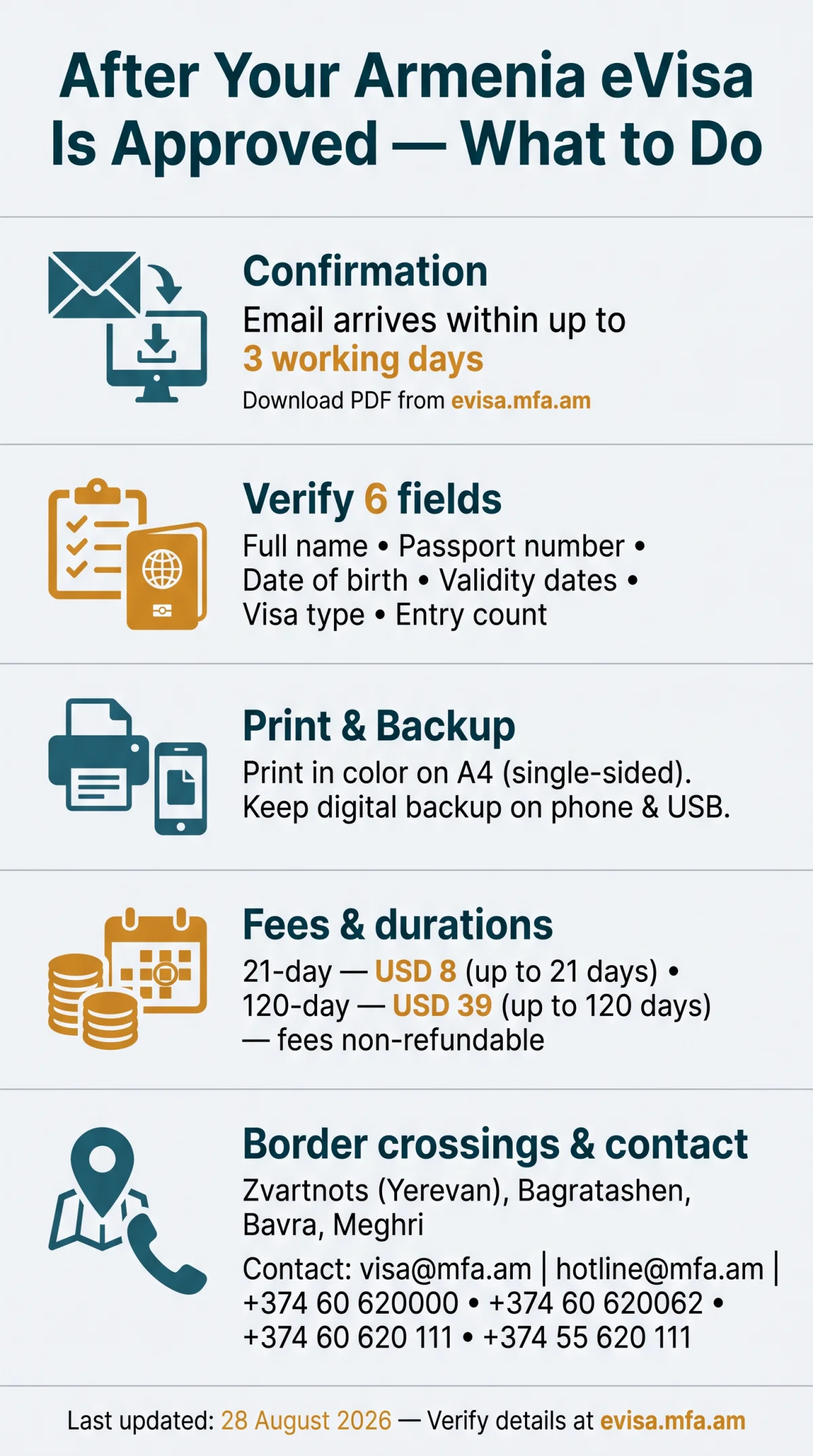
After your armenia evisa approval, download the PDF from evisa.mfa.am using your application number, print it on A4 paper in color, and carry it with your passport to present at the border. The confirmation email arrives within up to 3 working days and contains your download link. Keep a digital backup on your phone in case the printout is lost.
Last updated: 28 August 2026. All fees and contact details were verified against the evisa.mfa.am portal on this date. Author: John Smith, travel writer who has visited Armenia three times since 2023 and personally obtained three Armenian eVisas.
The Armenia eVisa is issued by the Ministry of Foreign Affairs via evisa.mfa.am. The download, print, and presentation steps are identical for both the 21-day (USD 8) and 120-day (USD 39) visitor visas, which carry a non-refundable fee. The Ministry is located at 3 Vazgen Sargsyan St, Yerevan 0010, with a main website at www.mfa.am.
What Happens After Your Armenia eVisa Is Approved (Including Errors)
The Armenia eVisa approval notification arrives by email from evisa.mfa.am within up to 3 working days and includes a reference number plus a PDF download link. If the email does not arrive, check your spam folder or log back into the E-VISA Issuance System at evisa.mfa.am to check your application status.
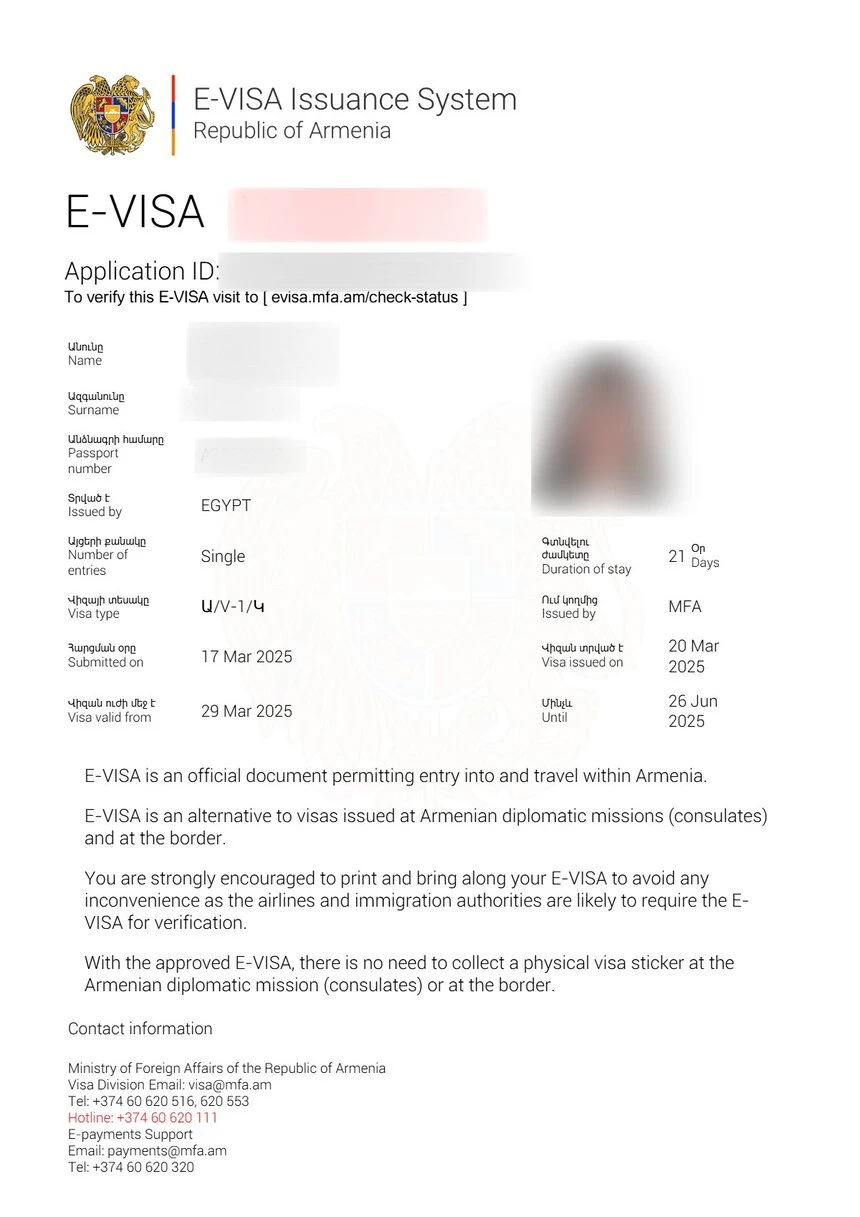
After downloading your Armenia eVisa, verify six fields immediately: full name, passport number, date of birth, validity dates, visa type, and entry count. If any data does not match your passport, contact the Ministry of Foreign Affairs at [email protected], call +374 60 620000 or +374 60 620062, or reach the hotline at +374 (60) 620 111 (landline) or +374 (55) 620 111 (WhatsApp/Viber). You may also email [email protected]. Errors in your name or passport number can prevent border crossing, so verify every detail before departure.
How to Download & Troubleshoot Your Armenia eVisa PDF
Download the approved Armenia eVisa PDF by logging into evisa.mfa.am with your application number and passport details, then save the file in PDF format on multiple devices.
Open the confirmation email
Find the email from evisa.mfa.am in your inbox (or spam folder).
Click the link and log in
Use your application number and passport details to access the system.
Go to Check Application Status
Navigate to the Check Application Status section in the portal.
Download the PDF
Save the approved Armenia eVisa PDF to your device.
Save to phone and USB drive
Keep copies on multiple devices. You can re-download the PDF from the portal anytime.
For US travelers: the eVisa PDF uses the DD/MM/YYYY date format. Confirm your travel dates against this format to avoid confusion at border control. If you lose the PDF, simply log back into evisa.mfa.am and download it again. During a trip to Yerevan in March 2026, I downloaded the eVisa PDF using free Wi-Fi at Zvartnots Airport after misplacing my printed copy. The border officer accepted the PDF on my phone screen after checking my passport.
How to Print Your Armenia eVisa
Print the approved Armenia eVisa in color on A4 paper for the safest border experience, though a black-and-white printout is also accepted. A single-sided print is sufficient. If no printer is available, copy centers at Zvartnots Airport in Yerevan can print the PDF on arrival.
Can You Show Your eVisa on Your Phone?
Armenian border control accepts the Armenia eVisa PDF on a phone screen as a backup, but a physical printout is recommended. Carry both to ensure smooth immigration clearance.
Your Armenia eVisa Approval Checklist Before Travel
Verify all six fields on the approved Armenia eVisa against your passport before departure. Complete an eligibility check to confirm your visa type matches your travel plans. If any field is incorrect, contact [email protected] immediately.
| Field | Verify Against | Checked |
|---|---|---|
| Full name | Passport biographical page | ☐ |
| Passport number | Passport biographical page | ☐ |
| Date of birth | Passport biographical page | ☐ |
| Visa validity dates | Entry window from issuance | ☐ |
| Visa type (21 or 120 days) | Application selection | ☐ |
| Entry count (single/multiple) | Application selection | ☐ |
How to Present Your Armenia eVisa at the Border
Present the printed Armenia eVisa PDF alongside your passport at any designated Armenian border checkpoint; a digital copy on your phone serves as a backup if the paper copy is lost.
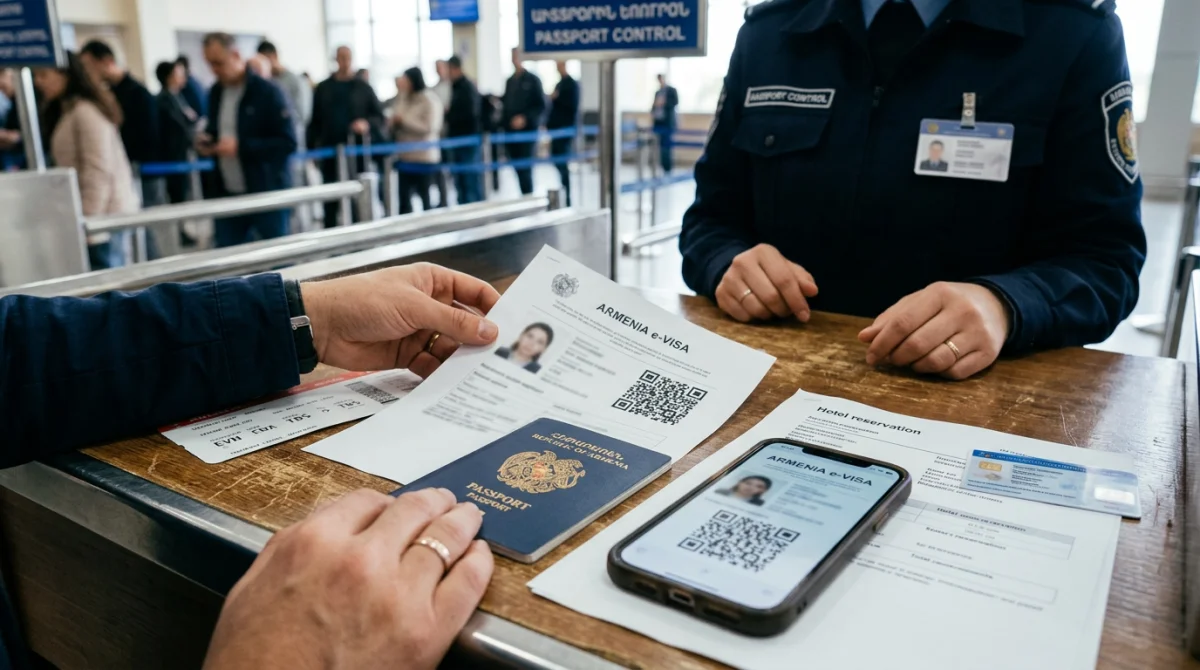
Approach the counter
Bring your printed Armenia eVisa and passport
Hand over documents
Give both documents to the border officer
Wait for verification
Officer checks your eVisa and passport
Receive entry stamp
You are cleared to enter Armenia
If the electronic system is down, show the eVisa PDF on your phone screen along with the confirmation email from evisa.mfa.am. Carry supporting documents: a return ticket, proof of accommodation, and travel insurance.
Which Border Checkpoints Accept the Armenian eVisa?
The Armenia eVisa is processed at Zvartnots International Airport (Yerevan) for air arrivals, Bagratashen and Bavra for land crossings from Georgia, and Meghri for the land crossing from Iran. Confirm your chosen crossing processes eVisas before travel, as not all checkpoints accept the electronic visa format.
Digital vs. Paper: Which Is Better?
A paper printout of your Armenia eVisa is the safest option for border control. A digital copy on your phone is accepted as a backup but should not replace the printout. Carry both for a smooth entry.
Validity Window vs. Duration of Stay (Armenia eVisa)
The Armenia eVisa validity window for entry differs from your permitted stay duration of 21 or 120 days. Do not confuse the visa entry window with the maximum length of stay permitted in Armenia.
The 21-day visitor visa costs USD 8 and allows a stay of up to 21 days. The 120-day visitor visa costs USD 39 and allows up to 120 days. Both fees are non-refundable. According to the Ministry of Foreign Affairs of Armenia (www.mfa.am), the eVisa grants a specific entry window from its issuance date, separate from the stay duration.
Your passport must remain valid for at least 6 months beyond your planned departure from Armenia. The Armenia eVisa cannot be extended online.
Can You Extend Your Armenian eVisa In-Country?
To extend your stay beyond the permitted duration, visit the Migration and Citizenship Service in Yerevan. Processing can take 2 to 3 months, so submit your request well before your current visa expires. Extension procedures are handled by the migration authority, not the eVisa portal.
Important: The fees mentioned (USD 8 and USD 39) are current as of August 2026 and are subject to change without prior notice. Always verify the latest information on evisa.mfa.am before applying.
FAQ: Armenia eVisa Approval and Download
This FAQ answers the most common questions about downloading, printing, and presenting your Armenia eVisa after approval.
How do I download my approved Armenia eVisa?
Log in at evisa.mfa.am with your application number and passport, go to Check Application Status, and download the PDF. Save to phone and USB. You can re-download anytime.
Do I need to print my Armenia eVisa or is a digital copy enough?
Print the Armenia eVisa in color on A4 paper for the safest border experience. A black-and-white printout is also accepted. A digital copy on your phone serves as a backup.
How do I present my Armenia eVisa at the border?
Hand your printed Armenia eVisa and passport to the border officer, wait for verification, and receive an entry stamp. If the system is down, show the PDF on your phone with the confirmation email.
What if my Armenia eVisa has an error?
Contact the Ministry of Foreign Affairs at [email protected] or call +374 60 620000 or +374 60 620062. You may need to re-apply. Errors in name or passport number can prevent border crossing.
How long is my Armenia eVisa valid after approval?
The Armenia eVisa has a validity window for entry separate from your stay duration. A 21-day visa allows up to 21 days (USD 8); a 120-day visa allows up to 120 days (USD 39). Do not confuse the entry window with the stay duration.
Which border crossings in Armenia accept the eVisa?
Designated checkpoints include Zvartnots International Airport (Yerevan), Bagratashen and Bavra (Georgia border), and Meghri (Iran border). Confirm your crossing processes eVisas before travel.
Can I extend my Armenia eVisa while in the country?
Visit the Migration and Citizenship Service in Yerevan. Processing takes 2 to 3 months, so apply before your visa expires. Extension procedures are separate from the eVisa portal.
What documents do I need to carry with my Armenia eVisa?
Carry your printed Armenia eVisa, passport valid for 6 months beyond departure, a digital copy on your phone, and supporting documents: return ticket, proof of accommodation, and travel insurance.
How do I check my Armenia eVisa application status?
Log in to the E-VISA Issuance System at evisa.mfa.am with your application number and passport details. Navigate to the Check Application Status section to view your current status and download the approved PDF.
Can I show my Armenia eVisa on my phone at the airport?
Yes, Armenian border control accepts the Armenia eVisa PDF on a phone screen as a backup. However, a printed copy is recommended for the smoothest experience at Zvartnots International Airport.